Job Search Automation: A Weekly Operating System
Most attempts at automating a job search fail the same way. Someone installs three tools in one evening, applies to sixty roles that week, then does nothing for a fortnight. The tools were fine. The problem was that there was no cadence — automation without a schedule is just a burst of activity with extra setup cost.
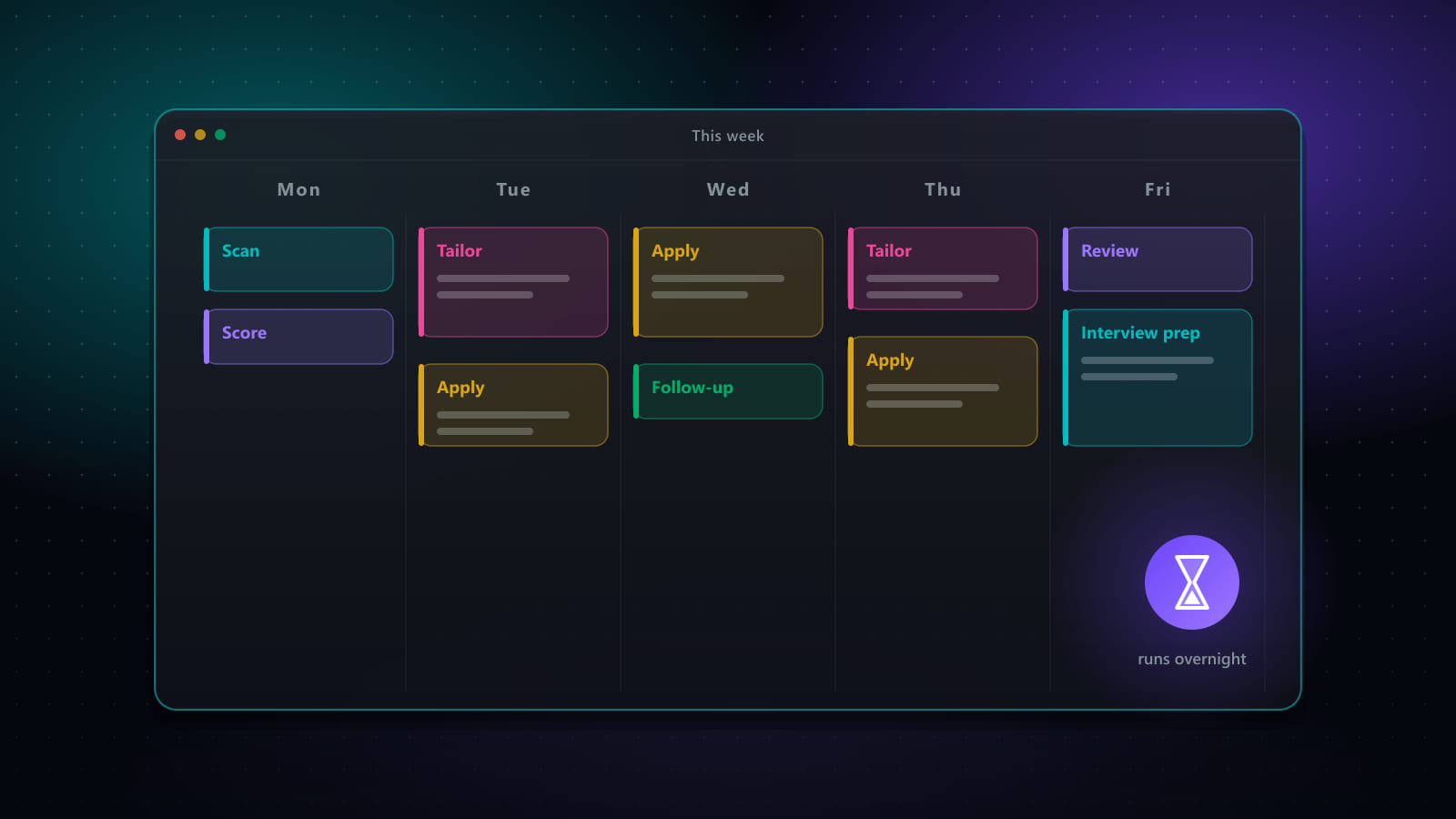
What follows is a weekly operating system: four recurring blocks, what runs automatically inside each, and what only you can do. It assumes you have tools; this is about how to run them.
Key takeaways
- Automation fails from lack of cadence, not lack of tooling. Four recurring blocks a week is enough structure to keep a search alive.
- Sourcing runs daily and unattended. Review is a short human block. Applications happen in one batch. Follow-up is its own block because it is the one most often skipped.
- Steady state is three to five hours of human time a week, with sourcing moved to the background.
- Cap applications at what you could actually discuss in an interview, rather than maximising raw volume.
- Review one metric weekly — reply rate — and change one thing at a time when it is flat.
Block 1 — Sourcing (automated, daily)
Human time: zero. This block runs whether or not you think about it, which is the entire point.
A scheduled search sweeps your boards each morning, deduplicates roles that appear on several of them, filters out anything already seen, and scores what remains against your background. What lands is a queue, not a task.
Two settings determine whether this block helps or generates noise. Recency: restrict to postings from the last few days, because response rates drop sharply once a listing has been open for weeks. Match threshold: set it high enough that the queue is short. A queue of 200 is the same as no queue — you will not read it.
Block 2 — Review (human, 30 minutes, 3× a week)
This is the block that cannot be automated, and the one people try hardest to skip.
You are doing one thing: deciding which queued roles are real candidates. Not reading the full description — scanning title, company, level, location terms and compensation if shown, then keeping or rejecting.
Reject aggressively. The instinct to keep a marginal role “just in case” is what fills a pipeline with applications you will not follow up on. A useful rule: if you would not be pleased to get an interview invitation for it, reject it.
Rejections here are also training data for your own setup. If the same category of wrong role keeps appearing, the fix belongs in your search profile, not in this block.
Block 3 — Applications (mixed, one batch a week)
Human time: one to two hours, depending on how many need genuine customisation.
Batching matters. Applying in ones and twos across the week means paying the context-switching cost every time; doing them in a single block means one setup and a rhythm.
Split the batch in two:
- Standard applications — good matches, no special circumstances. Generated documents, automated form filling, a review checkpoint, submitted. Most of the batch.
- Priority applications — roles you genuinely want. Same automation for the mechanical parts, then real human time on the cover letter and anything the posting specifically asks for. Two or three a week, no more, or they stop being priority.
The review checkpoint is not optional even on standard applications. You are checking that the right CV is attached, that stored answers still fit this employer, and that nothing generated reads as generic filler.
Block 4 — Follow-up (partly automated, 30 minutes weekly)
The block almost everyone drops, which is why it is disproportionately valuable.
Three things happen here:
- Move stale applications. Anything with no response after two to three weeks moves to closed. Keeping them “active” distorts your own sense of the pipeline.
- Follow up where there is a named human. One short message, once. Not to applications submitted into a portal with no contact — there is nobody on the other end of those.
- Update the tracker from your inbox. Rejections, interview invitations and requests for information all need to land on the right record, or the pipeline stops reflecting reality.
The weekly review that keeps it honest
Fifteen minutes, once a week, on one number: what share of applications produced any human response?
Not applications sent — that measures your tooling, not your search. Reply rate, including rejections from a person, is the number that tells you whether the funnel works at all.
If it is flat, change exactly one thing before the next cycle:
- Responses but all rejections at screening stage — the targeting is off; you are reaching humans who do not think you fit. Tighten the match threshold or revisit level and seniority.
- No responses at all — likely a document or parsing problem before a human ever saw it. Diagnose the CV against a specific posting rather than applying more widely; see the ATS optimization checklist.
- Responses but few applications going out — the funnel works and sourcing is the constraint. Widen boards or loosen the threshold slightly.
Changing several things at once means learning nothing from the result, which is how searches end up being re-tuned indefinitely.
What not to automate
- The reject decision in Block 2. Delegating this removes the only quality gate in the system.
- Follow-up messages to named people. A templated follow-up is worse than none; it is visibly automated at exactly the moment you are trying to seem individually interested.
- Interview preparation. The value is in the practice. The time freed by the other three blocks is what pays for it.
For the tooling side of this — what to automate at each stage and the guardrails each piece needs — see building an automation stack with guardrails.
Frequently asked questions
What is job search automation?
Job search automation is the practice of handing the repeatable parts of a job search to software on a fixed schedule: sourcing postings across boards, scoring them for fit, generating tailored documents, completing application forms, and tracking responses. The distinguishing feature of a working setup is not which tools are used but that it runs to a cadence — a search that depends on remembering to check boards degrades within about two weeks.
How many hours a week does an automated job search take?
A realistic steady state is three to five hours a week of human time: roughly 30 minutes reviewing the shortlist your sourcing produced, an hour or so on applications that need genuine customisation, 30 minutes on follow-ups, and the remainder on interview preparation. The sourcing itself, which is what consumes most of the time in a manual search, moves to a scheduled background task.
How many jobs should I apply to per week?
Volume is the wrong primary target. A more useful constraint is the number of applications you could genuinely discuss in an interview — if you could not name the company and why you applied, the application was unlikely to convert anyway. For most people running a focused search, 15 to 30 well-matched applications a week is sustainable and produces enough signal to diagnose problems. Chasing several hundred a week usually indicates a targeting problem being solved with volume.
What should I do if automation is producing no responses?
Stop adding volume and diagnose, because more applications through a broken funnel produces more rejections rather than more interviews. Check three things in order: whether the roles being surfaced actually match your level and constraints, whether your CV parses and scores well against those specific postings, and whether applications are reaching a human at all. The stage that fails will usually be obvious once separated — and adding volume masks all three.
Ready to automate your job search?
Best JobFinder combines job discovery, AI skill matching, resume tailoring, and configurable auto-submit in one platform — with a 7-day free trial.
Try Best JobFinder free →