A Job Search Workflow for Job Seekers: Build a Repeatable Plan
A job search built around application quotas can keep you busy without bringing you closer to the right role. A strong job search workflow for job seekers is a feedback loop, not a race to submit more applications.
If your week disappears into job-board tabs, repeated form fields, and forgotten follow-ups, the problem may be a lack of structure, not effort. Searching everywhere at once makes it harder to identify suitable openings, tailor your materials, and see which actions are moving your search forward.
This guide will help you build a manageable weekly system for finding and prioritizing roles, submitting thoughtful applications, and tracking what happens next. You’ll learn how to balance relevance with application volume, set follow-up reminders, and make time for interview preparation without letting admin work take over.
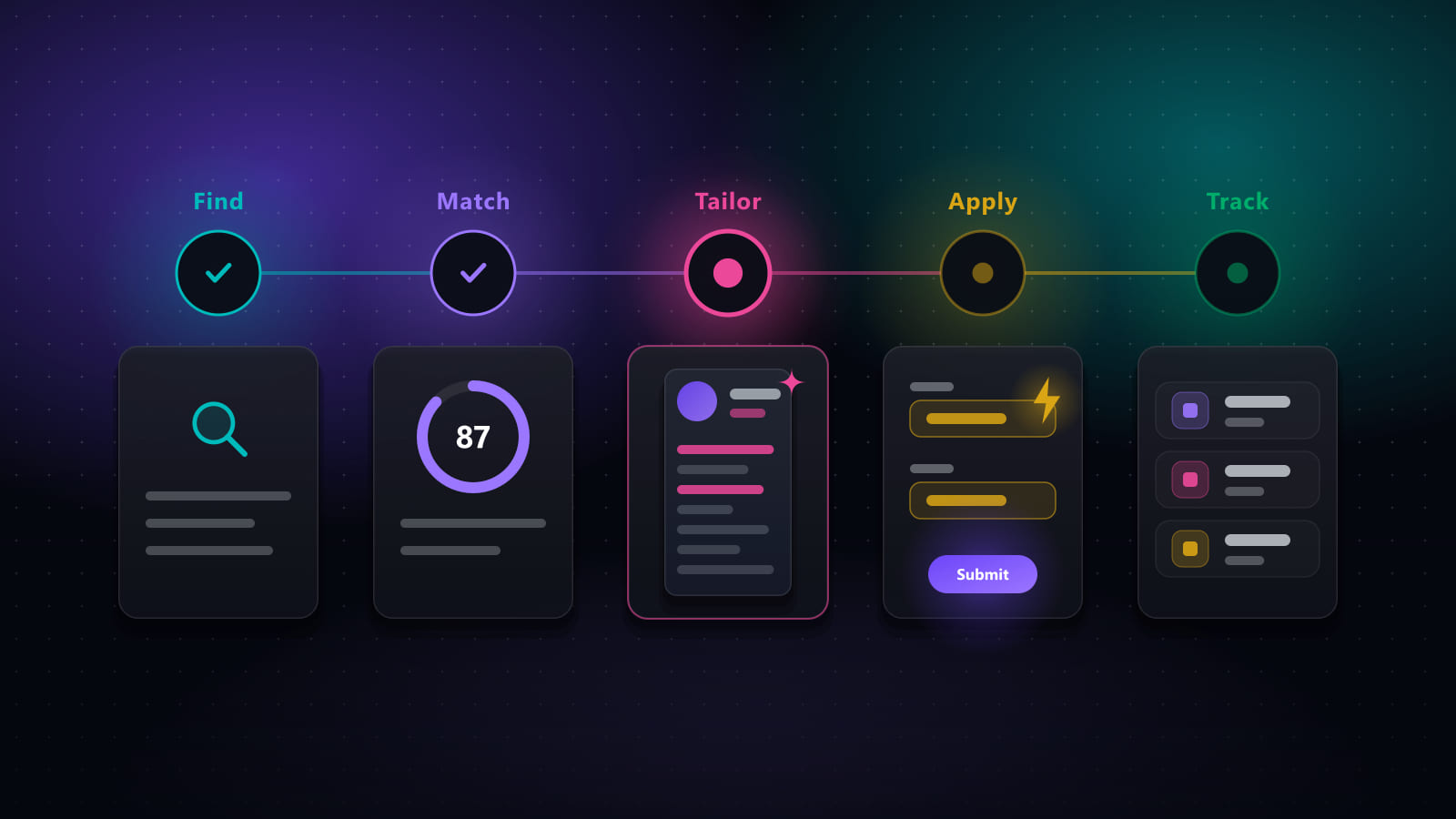
Think of the workflow as a simple cycle: find roles, assess fit, apply with purpose, follow up, and review what you’ve learned. Each week should give you a clearer next step, not just a longer list of applications.
Key takeaways
- Build your job search workflow for job seekers around clear role criteria, so you can screen opportunities before investing time in an application.
- Separate essential requirements from preferences to identify strong-fit roles without treating every listing as a match.
- Keep applications relevant by tailoring your materials to each role and checking that every detail is accurate.
- Use a simple tracker for employer, role, source, date, status, next action, and follow-up date.
- Review what’s progressing, then connect role discovery, application support, relevant outreach, and interview preparation into one process.
Why job seekers need a workflow, not another endless job-search session
One listing leads to another. Then come duplicate forms, half-finished applications, and the nagging question: did you ever follow up? A scattered search drains attention. It isn’t a sign that you lack discipline; it’s what happens when every task competes for priority and nothing captures the next step.
A job search workflow for job seekers is a repeatable set of actions with review points that protects your time and application quality by making the next step clear. Instead of browsing whenever you feel behind, set purposeful blocks for finding roles, preparing applications, and checking progress. Structure won’t guarantee interviews, but it can help you direct your effort.
What belongs in a job search workflow?
The job search process can span everything from finding opportunities to interviewing. A practical workflow turns that broad process into a cycle: discover roles, assess fit, apply, track, follow up, and prepare. It organizes decisions; it doesn’t require you to apply to every opening you see.
For example, save a marketing role during a search block, then assess it against your criteria. If it fits, tailor your CV and cover letter, submit the application, record the date and status, and set a follow-up reminder. If it doesn’t fit, note why and move on. Either way, the listing has a clear outcome instead of lingering in an open tab.
Why more applications are not automatically better
Rushed applications can take time without showing why you suit a particular role. A weak-fit opening may call for experience you don’t have, while a generic application can obscure your relevant skills. Sending more applications isn’t automatically progress if each one gets less attention and follow-ups disappear from view.
Consistency matters more than an arbitrary daily quota. A focused weekly block might produce fewer applications, but each can be reviewed for fit, tailored, and tracked. That gives you a more useful measure of progress: not just how many forms you sent, but whether you pursued roles that align with your goals and completed the next step.
In the sections ahead, you’ll turn that approach into practical role-fit checks and quality controls. First, define what you’re looking for. Then screen each opening before investing in an application. The aim isn’t to make your search rigid. It’s to replace reactive browsing with a repeatable rhythm that leaves room for thoughtful decisions.
Build your job search workflow around clear role criteria
Set your filters before opening job listings. Otherwise, every appealing title or urgent-looking post can pull your search in a new direction. A clear job search workflow for job seekers starts with the work you want and the conditions that matter, then uses those choices to guide each application.
Set target roles and a practical role-fit filter
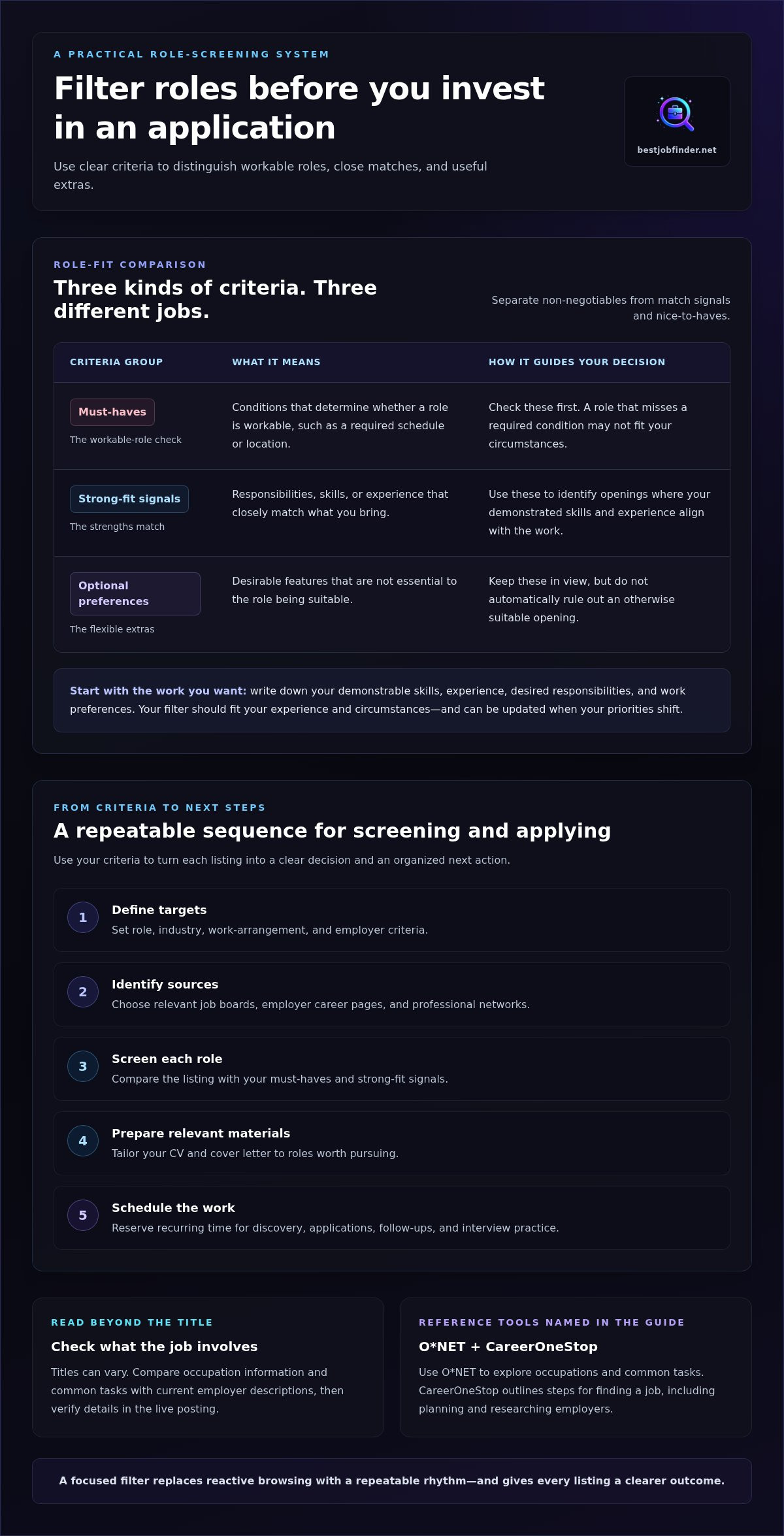
Write down the skills you can demonstrate, the experience you bring, the responsibilities you want, and your work preferences. Then sort your criteria into three groups:
- Must-haves: Conditions that determine whether a role is workable, such as a required schedule or location.
- Strong-fit signals: Responsibilities, skills, or experience that closely match your strengths.
- Optional preferences: Desirable extras that shouldn’t automatically rule out an otherwise suitable role.
Use O*NET to explore occupations and common tasks, then compare that information with current employer descriptions. Role titles can vary, so check what the job actually involves and verify details in the live posting. CareerOneStop also outlines proven steps to find your next job, including planning and researching employers.
Keep your target list focused but adaptable. Choose relevant titles, industries, work arrangements, and employer criteria that fit your priorities. Your filter should reflect your experience and circumstances, not an idealized version of your career. If your priorities shift, update the criteria rather than forcing yourself to follow an outdated plan.
Choose discovery and application blocks for your week
Once you know what qualifies, map the work into a simple sequence. Adjust the timing to your schedule, energy, caregiving responsibilities, and application deadlines.
- Define targets: Set role, industry, work-arrangement, and employer criteria.
- Identify sources: Choose relevant job boards, employer career pages, and professional networks.
- Screen roles: Compare each listing with your must-haves and strong-fit signals.
- Prepare materials: Tailor your CV and cover letter to roles worth pursuing.
- Schedule actions: Reserve recurring time for discovery, applications, follow-ups, and interview practice.
Saved searches and organized job alerts can surface suitable openings without constant, unplanned browsing. Set a regular block to review them, and leave room to act when a strong-fit role has a deadline. Consistency matters; your routine doesn’t need to look the same every week.
If coordinating discovery, tailored documents, and application steps feels like another job, Best JobFinder’s coordinated job-search support can bring those tasks into one process.
Prioritize job applications without sacrificing relevance or accuracy
A workflow should make applications more personal, not turn them into copy-and-paste exercises. The goal is to spend less time repeating admin and more time showing how your real experience matches a specific role. A strong job search workflow for job seekers creates room for that judgment instead of pushing you to submit every application as quickly as possible.
Compare openings using clear, non-numeric signals. A high-fit role has responsibilities you can connect to work you’ve done, qualifications you can demonstrate, and conditions that suit your priorities. A weak-fit role depends on experience you don’t have, conflicts with a must-have, or has little connection to your skills. If the match is unclear, research further before committing time.
How to decide whether a role deserves an application
Read beyond the title. Compare the core responsibilities and required qualifications with your actual experience. Identify evidence you can explain, such as a relevant project, task, or skill. Be honest about gaps. Don’t invent credentials or describe yourself as proficient in something you’ve only encountered briefly.
Then choose one of three actions: pursue when the core work fits and you can support your claims; research further when important details or expectations are unclear; or skip when the role conflicts with your needs or depends on qualifications you lack. This quick decision protects time for applications where you can make a credible case.
Keep tailored materials accurate and specific
Use the job description to identify which of your genuine experiences matter most. Reflect relevant language where it accurately describes your skills, but don’t copy claims that don’t fit your background. Tailoring means choosing and explaining the right evidence for the role, not reshaping your history to match every line in a posting.
Automation can help with repetitive form entry and submission, but it can’t replace a final review. Before you send, check:
- Qualifications: Your claims match experience you can explain.
- Accuracy: Names, dates, contact details, and application answers are correct.
- Relevance: Your materials reflect the role’s actual responsibilities.
- Completeness: Required materials are attached and role-specific details are right.
A tailored CV should make relevant evidence easier to find while keeping every detail truthful. That final review helps keep efficiency from becoming a generic, error-prone application.
Track applications and turn each week into a useful feedback loop
A tracker should answer one question quickly: what needs attention next? Keep it simple enough to update after each application. A spreadsheet or task tool you already use is enough. The best job search workflow for job seekers isn’t the one with the most dashboards; it’s the one that keeps follow-ups visible and helps you learn from your search.
What to record for every application
Create one row or task for each role. Record details that support action, status checks, and interview preparation:
- Employer and role: Identify the organization and position.
- Posting source and date: Note where and when you found the listing.
- Status: Use clear labels such as saved, preparing, submitted, interviewing, or closed.
- Next action and follow-up date: Capture the task and when you plan to revisit it.
Add a short note for role-specific details you may need later, such as a key responsibility, a contact’s name, or an interview topic. Skip information that won’t change your next step. Keep personal details and employer information in accounts and on devices you secure. Your tracker should help you stay organized without spreading sensitive data unnecessarily.
How to review progress and choose next actions
Set a recurring weekly review. Scan each active role for fit, current status, upcoming follow-ups, and interview commitments. Update stale tasks, schedule the next action, and note any preparation you need. If several roles call for the same skill or experience, that pattern can guide what you highlight in future materials or practice before an interview.
Look for patterns without jumping to conclusions. A quiet response period doesn’t prove that your CV, targeting, or interview approach is the cause. Instead, assess what you can observe: Are you applying to roles that match your criteria? Are follow-ups being completed? Do your materials clearly reflect each role? A focused pre-submission checklist can help you review accuracy and completeness before sending.
Over time, this review turns your tracker into a feedback loop. You can adjust search sources, refine role criteria, and protect time for the steps that need attention, rather than repeating the same routine without checking what’s happening.
If keeping role discovery, application details, and next steps coordinated feels like too much admin, Best JobFinder can help organize your job search workflow.
Connect your job search workflow from discovery to interview preparation
A focused search works best when each step hands useful information to the next. Discover a role, assess its fit, prepare relevant materials, submit the application, log what you sent, then get ready for a possible conversation. This connected job search workflow for job seekers helps keep promising opportunities from disappearing between browser tabs and follow-up reminders.
Targeted outreach can fit after you’ve reviewed the role and identified a relevant hiring-team contact. Keep your message brief, specific, and respectful. Mention the position and a genuine connection between its needs and your experience. Avoid sending repeated messages or treating outreach as a substitute for a thoughtful application.
Where tools and application support can reduce repetitive work
Role discovery, tailored CVs and cover letters, and application form completion can fit into one coordinated process. Best JobFinder identifies relevant open positions, creates tailored application documents, and automatically populates and submits repetitive job application forms on employer career portals. That can reduce data-entry work and leave you more room to focus on role fit and preparation.
Review generated documents and form answers before submission. Confirm that the experience is accurate, the materials match the role, and every response reflects your qualifications. Treat automation as support for repetitive steps, not a substitute for your judgment about where to apply or what to say.
What to do after an application is submitted
Submission isn’t the end of the workflow. Record the date and status, save the role description, and set a reminder to follow up. Then note examples from your experience that connect to the role’s stated needs. If an interview invitation arrives, you’ll have the posting and your application details ready for practice. Use focused interview preparation to shape those examples into clear, relevant answers.
Best JobFinder brings role discovery, tailored application materials, form completion, hiring-team outreach, and interview preparation into a coordinated job-search process. It can reduce repetitive administration while keeping each application tied to a specific opportunity. No workflow can promise an interview or offer, but clear handoffs make it easier to act thoughtfully at every stage.
Your next-action checklist: choose a suitable role, assess the fit, prepare accurate materials, review before submitting, log the application, set a follow-up reminder, and prepare relevant examples.
Want support connecting those steps? Explore Best JobFinder’s job-search support and see how coordinated assistance can fit into your workflow.
Make your next job-search week more deliberate
A repeatable plan gives your search direction without turning it into a numbers game. Set clear role criteria, focus on applications that match your real experience, and use a simple tracker to keep follow-ups and next steps visible. Then review the week and adjust based on what you learn.
A job search workflow for job seekers should make room for thoughtful preparation, not just more browsing and form-filling. Each step can build on the last, from finding a suitable role to getting ready for an interview.
Best JobFinder brings role discovery, tailored application documents, form completion, hiring-team outreach, and interview preparation together as coordinated job-search support. If you’d like help reducing repetitive admin and keeping those steps connected, build a more focused job search with Best JobFinder.
Start with one clear target and one manageable action this week. Small, consistent steps can make the search feel more focused and easier to steer.
Frequently asked questions
How do I create a job search workflow?
Start by defining target roles and the qualifications you can credibly demonstrate. Set recurring time to find openings, assess fit, prepare tailored materials, submit applications, and track next steps. A simple job search workflow for job seekers should be easy to repeat, not another demanding project. Review it weekly, then adjust the schedule when your responsibilities, priorities, or search results change.
How many jobs should I apply to each week?
There’s no universal weekly number that fits every job seeker, role, or schedule. Set a sustainable goal based on the time you have and the number of genuinely relevant openings available. Prioritize accurate, role-specific applications over reaching a quota. If your plan starts pushing you toward rushed submissions, review your workload and reset it to a pace you can maintain thoughtfully.
Should I apply for a job if I don’t meet every qualification?
Consider applying if you meet the role’s core needs and can support your fit with honest examples. Read the posting carefully to separate essential requirements from preferred qualifications. A missing preference may not rule you out, but don’t claim skills, credentials, or experience you lack. Save the posting so you can revisit its requirements and prepare relevant examples if an interview follows.
How can I keep track of job applications?
Use a spreadsheet, calendar, or task tool you already check. For each application, record the employer, role, posting source, application date, status, and next action. Add follow-up and interview dates when relevant. Review the tracker weekly, close completed tasks, and choose a next step for every active application. Keep it practical, and avoid storing sensitive personal information you don’t need.
Can I use automation in my job search without making applications generic?
Yes. Automation can help organize role discovery or reduce repetitive form entry, but it shouldn’t replace your judgment or final review. Check every response, document, and attachment for accuracy and relevance before submitting. Tailor your materials to the actual role, and don’t let a faster process push you toward poor-fit openings. Best JobFinder supports form completion and tailored application documents, which you should review before submission.
How often should I follow up after applying for a job?
Follow the employer’s stated instructions first. If the posting gives no timeline, set a measured reminder and respect the hiring process rather than sending repeated messages. Record the follow-up date and any response in your tracker. A concise, relevant message can restate your interest, but it can’t guarantee a reply or change the employer’s timeline. Use your reminder to decide whether a follow-up is appropriate.
Ready to automate your job search?
Best JobFinder combines job discovery, AI skill matching, resume tailoring, and configurable auto-submit in one platform — with a 7-day free trial.
Try Best JobFinder free →