How ATS Screening Actually Works, and What “Beat the ATS” Advice Gets Wrong
Written by Best JobFinder’s founder.
Paste your resume PDF into a plain-text editor. If the words come out in the wrong order, with your dates in a separate clump and your job titles glued to the company names, that is what the applicant tracking system sees too.
That one test tells you more than most "beat the ATS" articles, because most of them describe a machine that does not exist: an AI reading your resume, scoring it against the job and rejecting you before a human looks. For the large majority of companies, that is not what an ATS does. This post is about what it does do, so you can stop optimising for a robot and start optimising for the recruiter who uses one.
What an ATS is
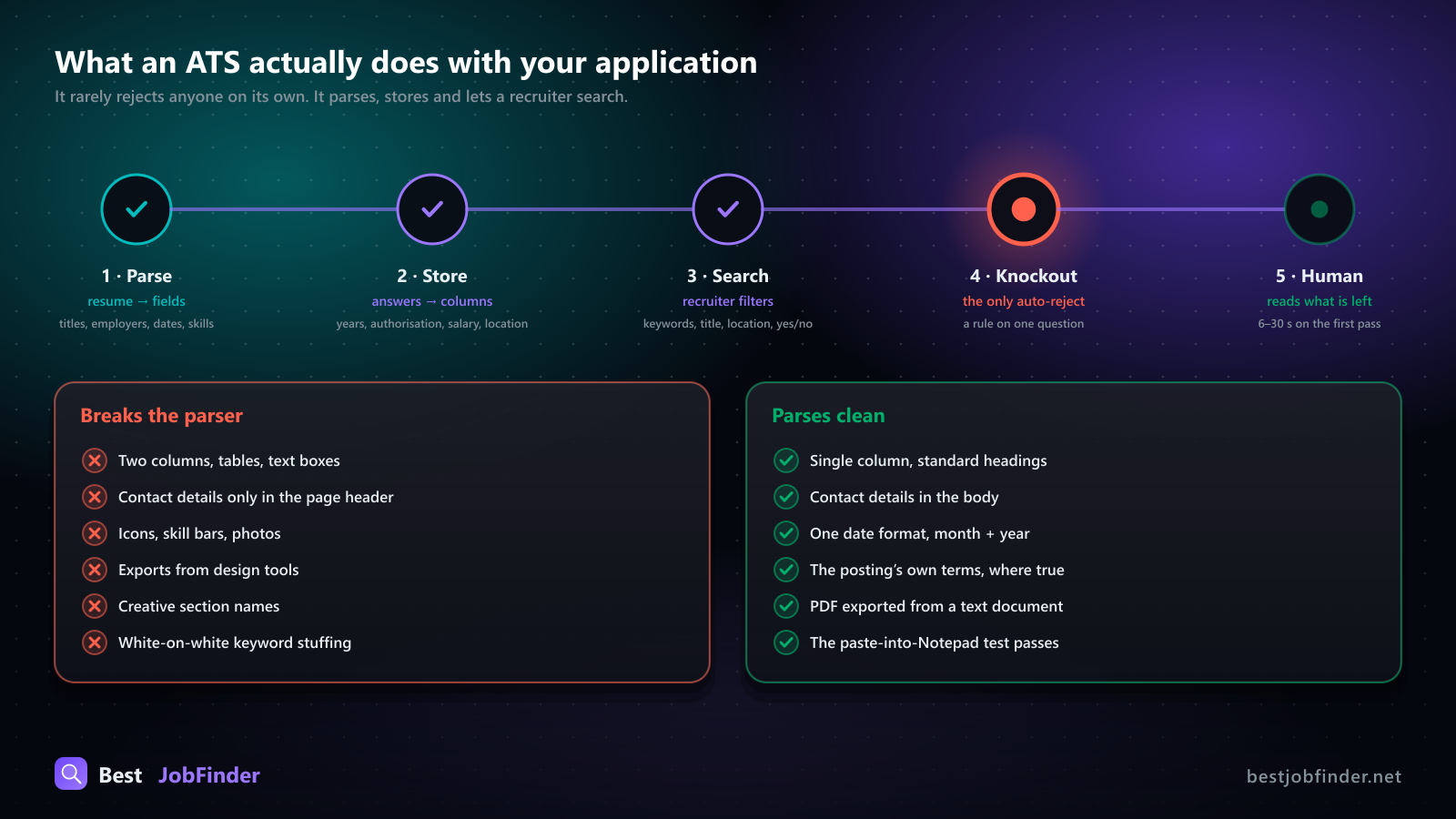
An applicant tracking system is a database with a careers page bolted on the front and a recruiter's inbox bolted on the back. Greenhouse, Lever, Workday, iCIMS, Ashby, SmartRecruiters, Teamtailor and Workable are all this, with different UIs. When you apply, four things happen, roughly in order.
1. Your resume is parsed into fields
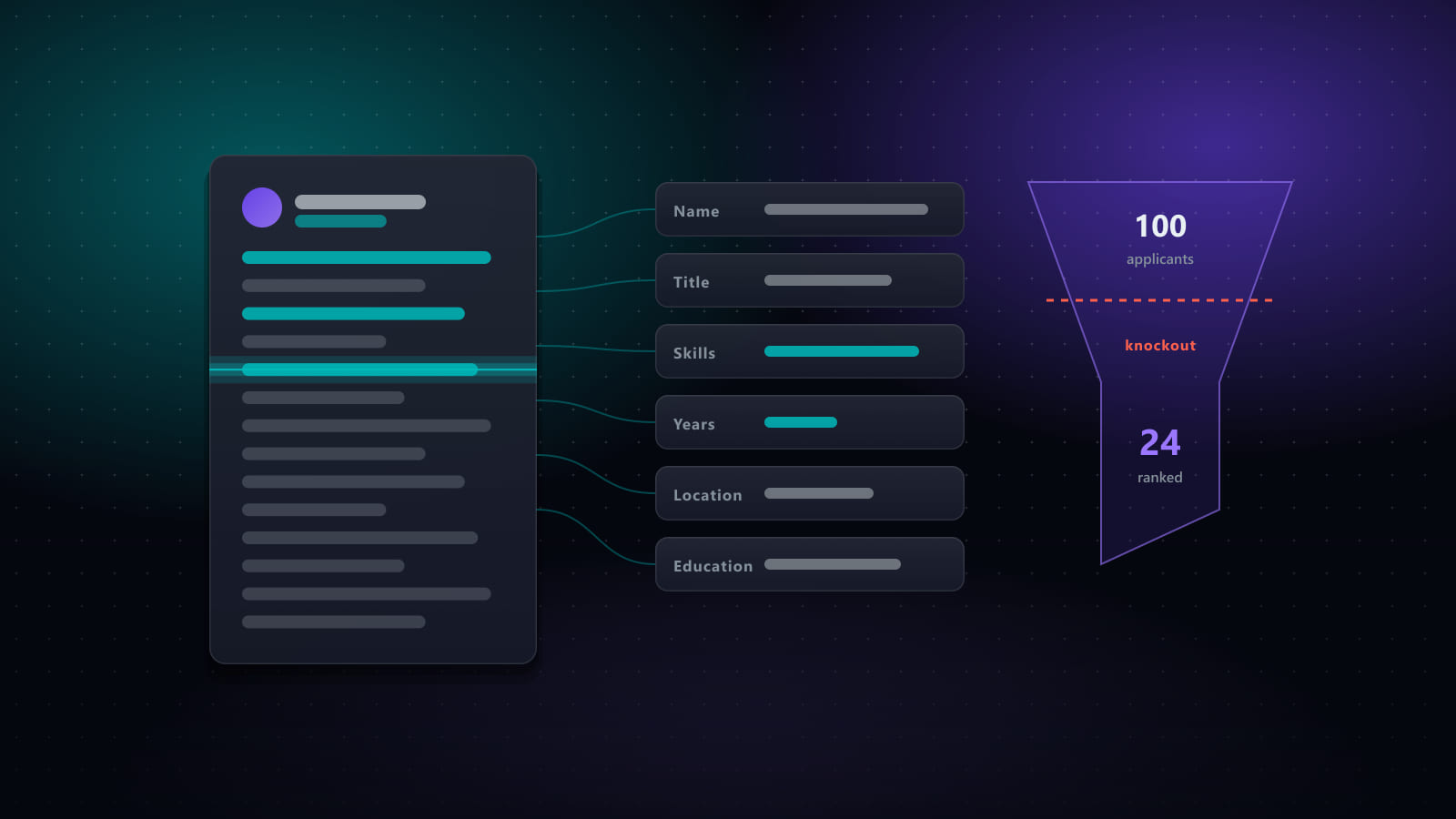
The PDF or DOCX is run through a parser that tries to extract name, contact details, job titles, employers, dates, education and a skills list. Some systems use the result to pre-fill the form you are about to see. Lever reads the uploaded resume and fills the contact fields from it. Workday offers an "Autofill with Resume" step that does the same for its whole wizard. That pre-fill is your first look at how well you parsed: if "Senior Engineer" ended up in the employer field, every recruiter search on title just lost you.
2. Your answers are stored as structured data
Everything you type into the form (years of experience with X, work authorisation, salary expectation, location) is stored as a field on your candidate record. Unlike the resume text, these are clean, typed values. They are what filters run on.
3. The recruiter searches and filters
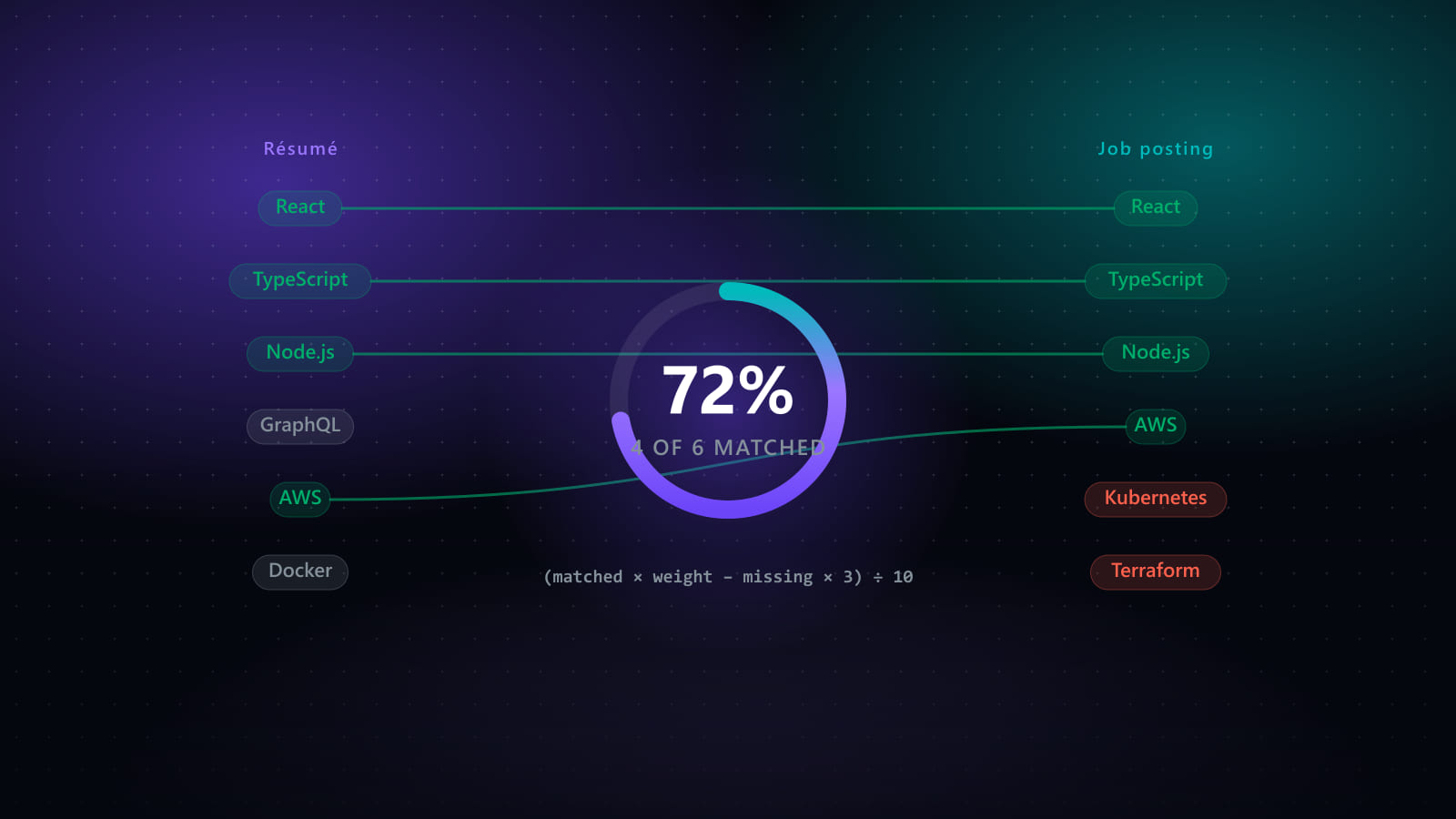
This is the step the myths get wrong. A recruiter with a few hundred applicants does not read them in submission order. They search the pool: a keyword or two, a title, a location, a yes/no on authorisation, and sort by whatever the system ranks on. Some systems show a match percentage against the posting; recruiters treat it as a sort key, not a verdict. The point is that a resume that never surfaces in that search is never read, and "never surfaces" is a wording problem far more often than a qualification problem.
4. Knockout questions reject automatically. Nothing else does.
Where automatic rejection does exist, it is a rule the recruiter configured on a specific question: "Are you legally authorised to work in Germany?" with No set to auto-reject, or "Years of experience with Kubernetes" with a minimum. These are coarse and deliberate. The system is not reading your prose and deciding you are weak; it is checking a box you ticked.
Then a person reads what is left, usually in six to thirty seconds per resume on the first pass.
Why your resume disappears
Four causes account for most of it.
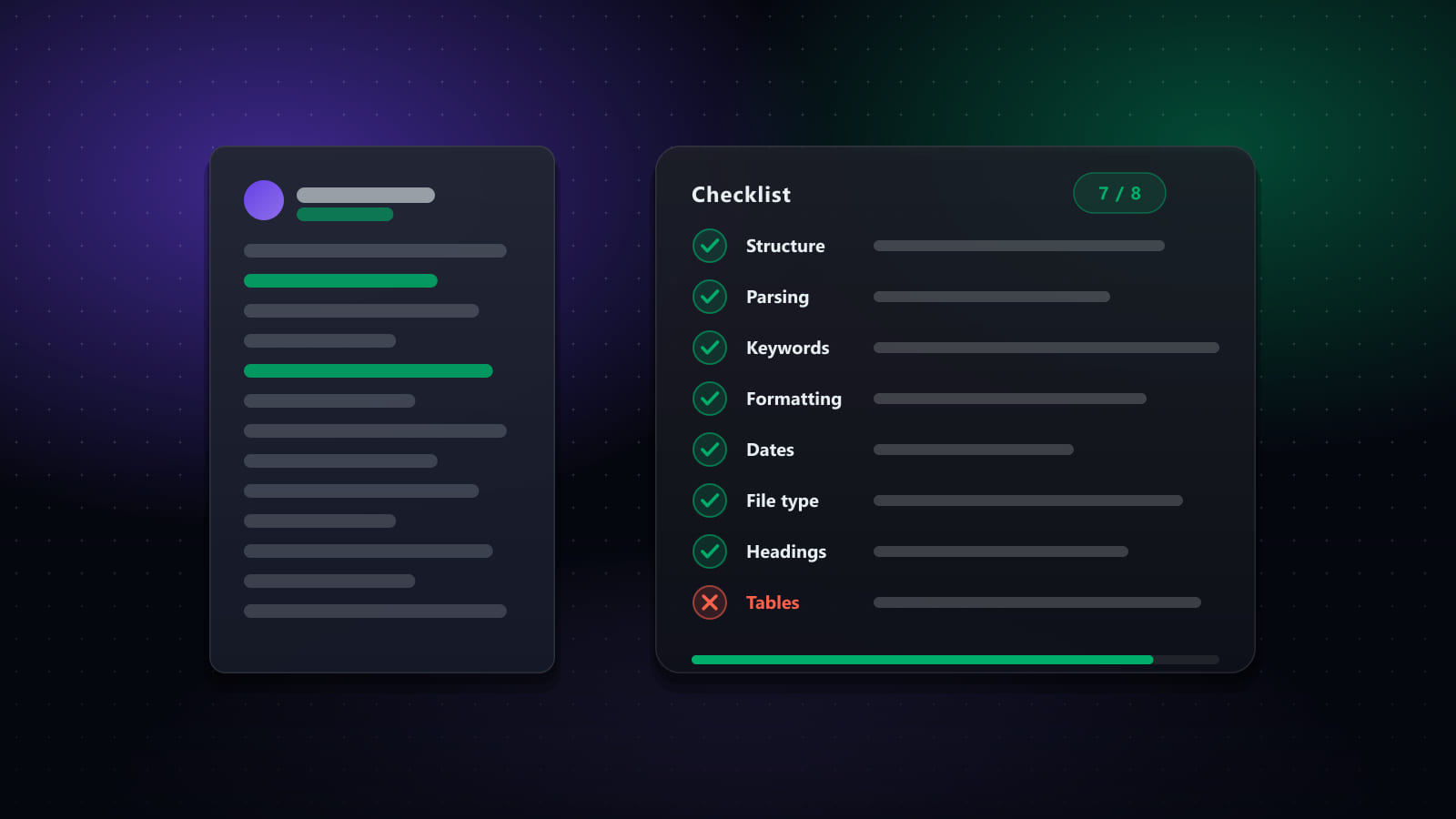
The parser scrambled it. Two-column layouts, tables, text boxes, icons, and headers or footers that hold your contact details are the usual suspects. Parsers read in document order, and a two-column PDF's document order is rarely the order you see. The plain-text paste test above catches all of these.
Your words are not their words. The posting says "distributed systems"; you wrote "backend infrastructure" for the same work. The posting says "customer success"; you wrote "client onboarding". A recruiter searching the posting's terms finds the people who used the posting's terms. This is not a reason to lie. It is a reason to describe true work in the vocabulary the reader is searching with.
The relevant experience is on page two. Recruiter attention is front-loaded. If the three bullets that prove you fit this role are under your third-most-recent job, reorder them for this application.
A knockout question. Answered honestly, there is nothing to fix; the role was not open to you. Answered carelessly ("0" in a years field because you skimmed it) it is the most avoidable rejection there is.
What actually helps
- Single column, standard headings. Experience, Education, Skills. The parser is pattern-matching on those words. "Where I've made an impact" is charming to a human and invisible to a regex.
- Contact details in the body, not a header. Many parsers skip page headers entirely.
- Dates in one consistent format, with a month and a year. Parsers compute tenure from them.
- Mirror the posting's terms where they are true. Keep a short skills section that uses the exact names of the tools and methods you have used. If the posting calls it "CI/CD" and you call it "build pipelines", write both.
- Put the proof near the top. A two-line summary that names the role you are applying for and the two or three things that qualify you, then the most relevant bullets of your most recent job.
- Export to PDF from a text document, not from a design tool. Canva and Figma exports are images or oddly layered text. Word, Google Docs, LaTeX and Markdown-to-PDF all produce clean text layers.
- Do the paste test before each submission. Ten seconds.
What does not help, and can hurt
- White-on-white keyword stuffing. Parsers extract hidden text, recruiters see it in the parsed view, and it reads as exactly what it is.
- A "skills" section that lists everything you have ever touched. It dilutes the search signal and sets up interview questions you cannot answer.
- Graphics, skill bars, photos. They parse as nothing, and in some countries a photo creates a compliance problem for the employer.
- One resume for every application. The posting is the search query. One document cannot match fifty different queries. Tailoring is the subject of its own post.
- Chasing a "score". Third-party tools that score your resume against a posting are useful for finding missing terms. They are not the ATS, and a 92 on one of them means nothing to Greenhouse.
A note on the "AI rejection" fear
Some vendors now sell resume-ranking features, and some large employers use them. Even there, the ranking is a sort order on the recruiter's list, and the inputs are the same parsed fields and keyword overlap described above. Nothing in this post changes if your application lands in one of those systems. Clean parsing and the posting's vocabulary are what a ranker rewards too.
The system is less clever and more literal than the folklore says. Treat it like a search engine with a strict parser in front of it, write for the human who will run the search, and most of the "ATS problem" goes away.
I build a job-search tool for a living, and I kept this post tool-agnostic on purpose. Everything above you can do with a text editor.
Ready to automate your job search?
Best JobFinder combines job discovery, AI skill matching, resume tailoring, and configurable auto-submit in one platform — with a 7-day free trial.
Try Best JobFinder free →