Best AI Job Search Tools in 2026: How to Choose the Right Fit
What if the best ai job search tools didn’t apply to more jobs, but removed the repetitive work between finding a good fit and submitting a thoughtful application? If you’re retyping the same details, switching between job-search and document tools, or worrying that AI has made your materials sound generic, the problem may be the process, not you. Too much of a job search can be busywork.
The right tools can cut repetition without taking your judgment out of the process. This guide compares options by the task they handle, from finding openings and tailoring application documents to filling forms, tracking applications, and preparing for interviews. Use the comparisons to weigh time saved against accuracy, relevance, and control.
Then build a manageable workflow: let AI handle mechanical tasks, review the details, and take responsibility for what goes out in your name. A connected approach, such as Best JobFinder’s support for job discovery, tailored CVs and cover letters, applications, outreach, and interview preparation, can also reduce the need to stitch together separate tools.
Key takeaways
- Match each tool to a specific bottleneck, from finding roles to preparing for interviews.
- Compare the best ai job search tools by task coverage, role relevance, editing control, workflow clarity, data handling, and effort saved.
- Distinguish writing aids, job discovery platforms, form automation, and connected services by what they do best and where review still matters.
- Choose tools around your application volume, role requirements, and realistic time for checking AI-generated details.
- Build a repeatable process that keeps your experience accurate and your decisions in your hands.
What are AI job search tools, and which parts of the search can they handle?
An AI job search tool is software that assists with particular steps in finding and applying for work, such as matching you with openings, tailoring documents, or completing forms. It can reduce repetitive effort, but it can’t guarantee employment. You remain responsible for checking suggestions, confirming details, and deciding what to submit.
Think of your search as a workflow, not a single writing task. Some tools help you discover roles; others help shape your application, complete forms, contact hiring teams, or practise for interviews. The best ai job search tools for you depend on where the process gets stuck and how much review you want to retain.
Which job-search tasks can AI tools help with?
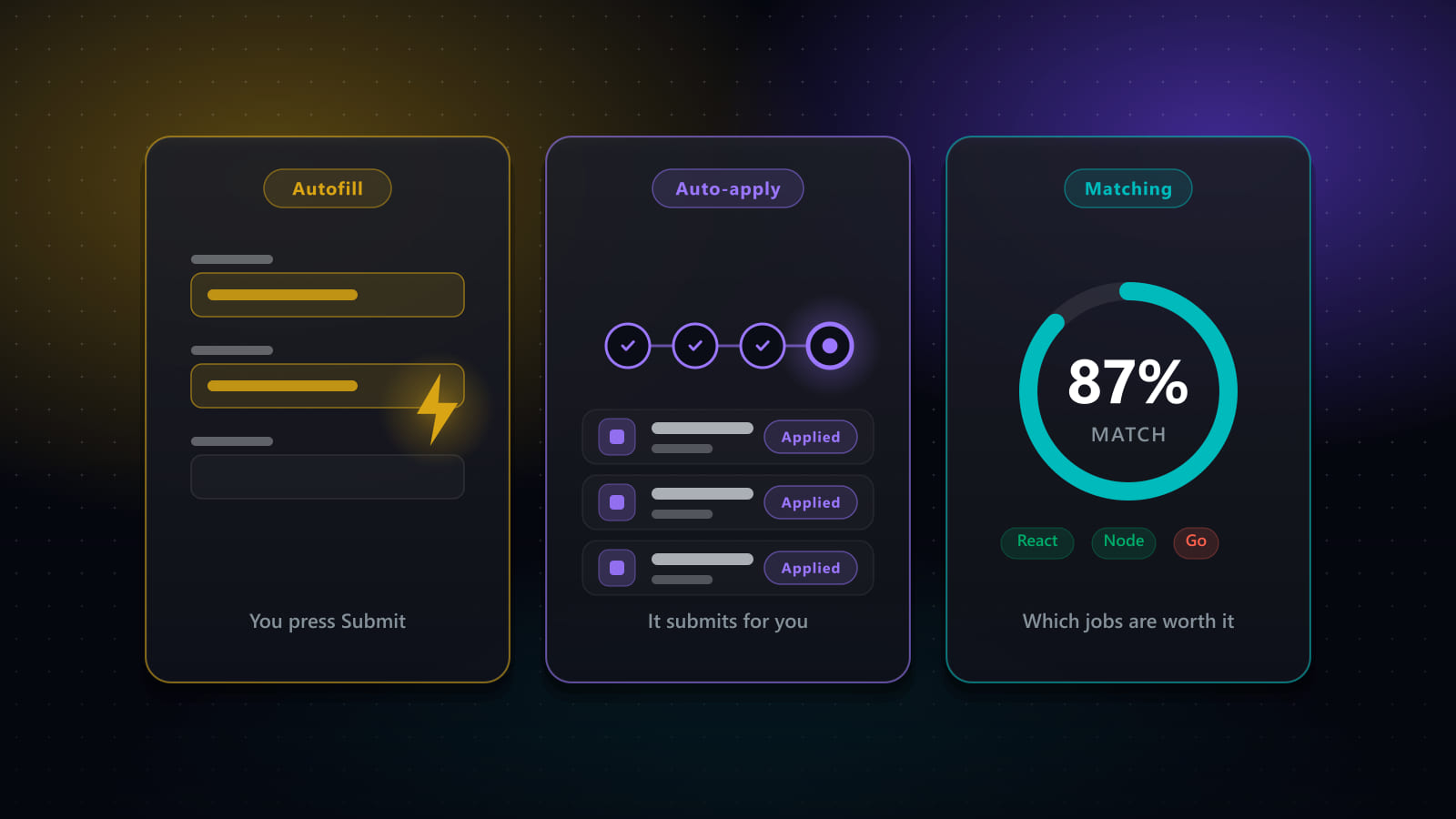
Each tool category tackles a different kind of friction. Job-discovery tools surface openings based on your preferences and qualifications. Writing assistants tailor CVs or cover letters to a role, while form automation reuses your information to reduce repetitive data entry. These tasks are related, but one tool may not handle all of them.
- Discover roles: Find openings that align with your target job, experience, and preferences.
- Prepare materials: Adapt your CV and cover letter to highlight relevant experience.
- Complete applications: Populate routine form fields, then check details before submission.
- Continue the process: Draft outreach to hiring teams or practise interview responses.
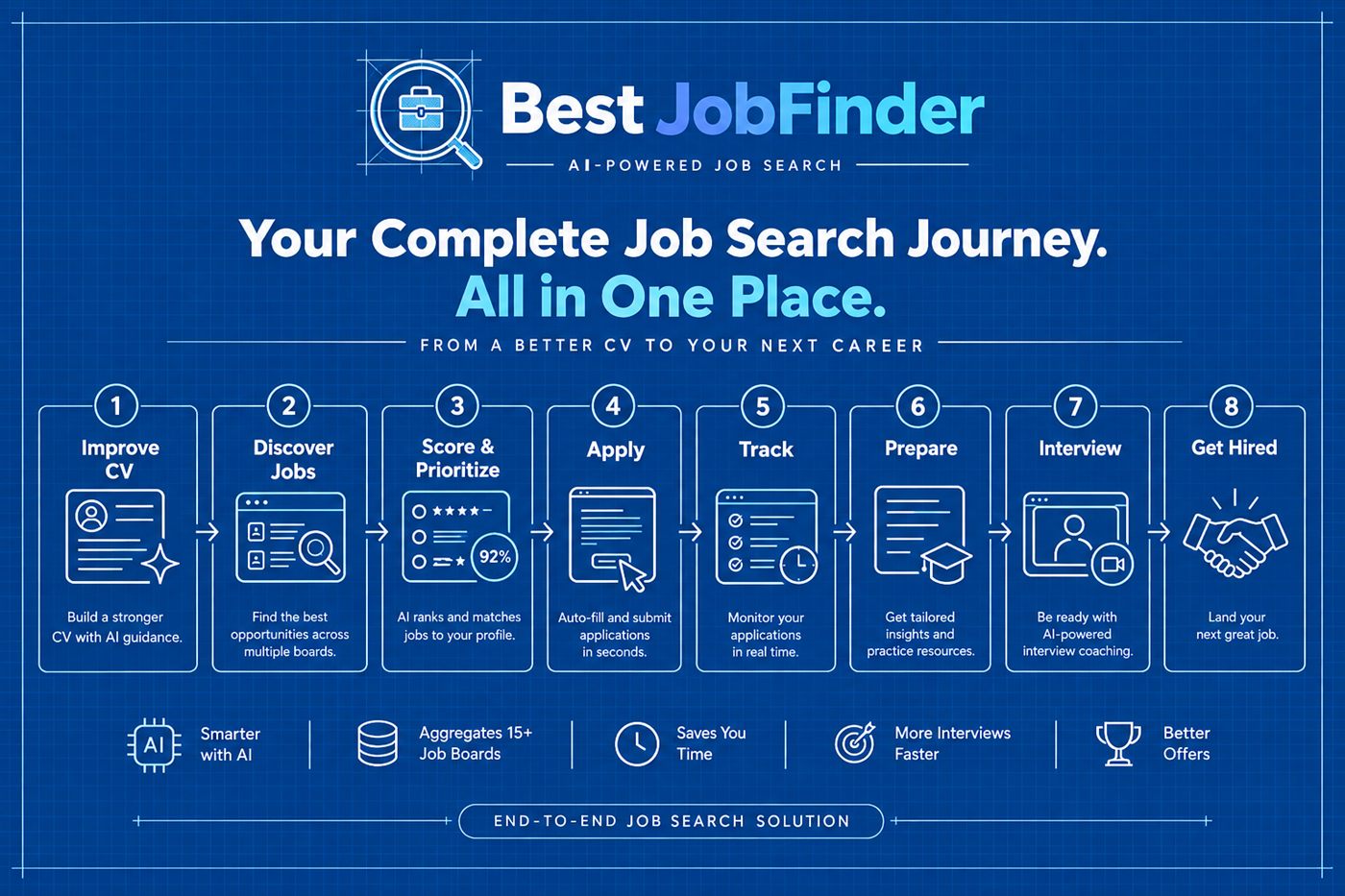
Some services connect several steps in one workflow. For example, Best JobFinder supports role discovery, tailored application documents, form completion, hiring-team outreach, and interview preparation. Connecting these steps can reduce the need to move information between separate tools, while you remain responsible for reviewing your applications.
What AI job search tools cannot promise
No software can promise an interview, an offer, or a particular hiring result. Employers make those decisions, and their processes may use AI too. For background on how AI is used in hiring, consider the employer side of the process as well as the tools you use as a candidate.
Generated text can misstate a skill, exaggerate an achievement, or sound unlike you. Treat drafts and matches as starting points, not verified facts. Check dates, qualifications, and examples against your experience before submitting anything. AI works best as administrative support: it can handle mechanical repetition, while your judgment keeps each application accurate, relevant, and genuinely yours.
How to compare the best AI job search tools: six criteria that matter
A tool can generate polished text and still leave your biggest bottleneck untouched. Compare what it does across the application process, not just how impressive its feature list sounds. Look for functions you can assess, such as editable drafts or help with application forms. Treat claims about interviews or hiring success cautiously unless they’re backed by clear, named evidence.
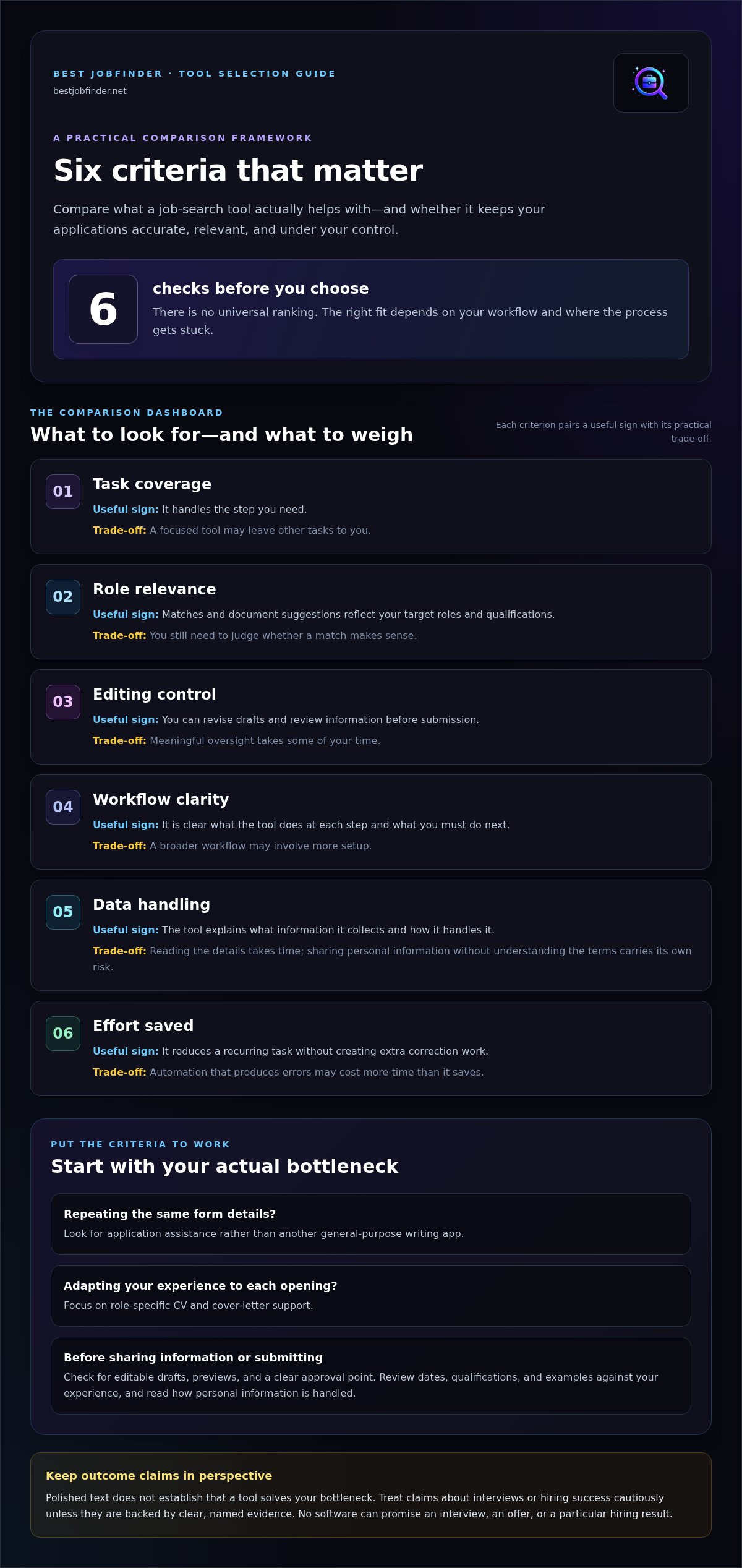
Use these six criteria to make a practical comparison. The trade-offs depend on your workflow, not on a universal ranking.
Task coverage: Useful sign: it handles the step you need. Trade-off: a focused tool may leave other tasks to you.
Role relevance: Useful sign: matches and document suggestions reflect your target roles and qualifications. Trade-off: you still need to judge whether a match makes sense.
Editing control: Useful sign: you can revise drafts and review information before submission. Trade-off: meaningful oversight takes some of your time.
Workflow clarity: Useful sign: it’s clear what the tool does at each step and what you must do next. Trade-off: a broader workflow may involve more setup.
Data handling: Useful sign: the tool explains what information it collects and how it handles it. Trade-off: reading the details takes time, but sharing personal information without understanding the terms carries its own risk.
Effort saved: Useful sign: it reduces a recurring task without creating extra correction work. Trade-off: automation that produces errors may cost more time than it saves.
Does the tool fit your actual bottleneck?
Start with the task that repeatedly slows you down. If application forms make you re-enter the same details, look for application assistance rather than another general-purpose writing app. If adapting your experience to each opening is the sticking point, focus on role-specific CV and cover-letter support. Choose one recurring frustration first, then assess whether a tool genuinely reduces it before adding another service to your setup.
Can you review, correct, and protect your information?
Before using a tool, check whether it gives you editable drafts, previews, and a clear approval point before anything is sent. These controls help you catch incorrect dates, unsupported claims, or details that don’t sound like you. Also read how it handles the personal information you provide, including application details. Consider what you want to know about privacy and data handling before sharing information.
The best ai job search tools aren’t necessarily the ones that automate the most. They’re the ones that remove friction while keeping the process understandable and your decisions in your hands. If you’d rather connect role discovery, tailored materials, and application support in one workflow, explore Best JobFinder’s job search support.
AI job search tools compared: writing assistants, automation, and end-to-end services
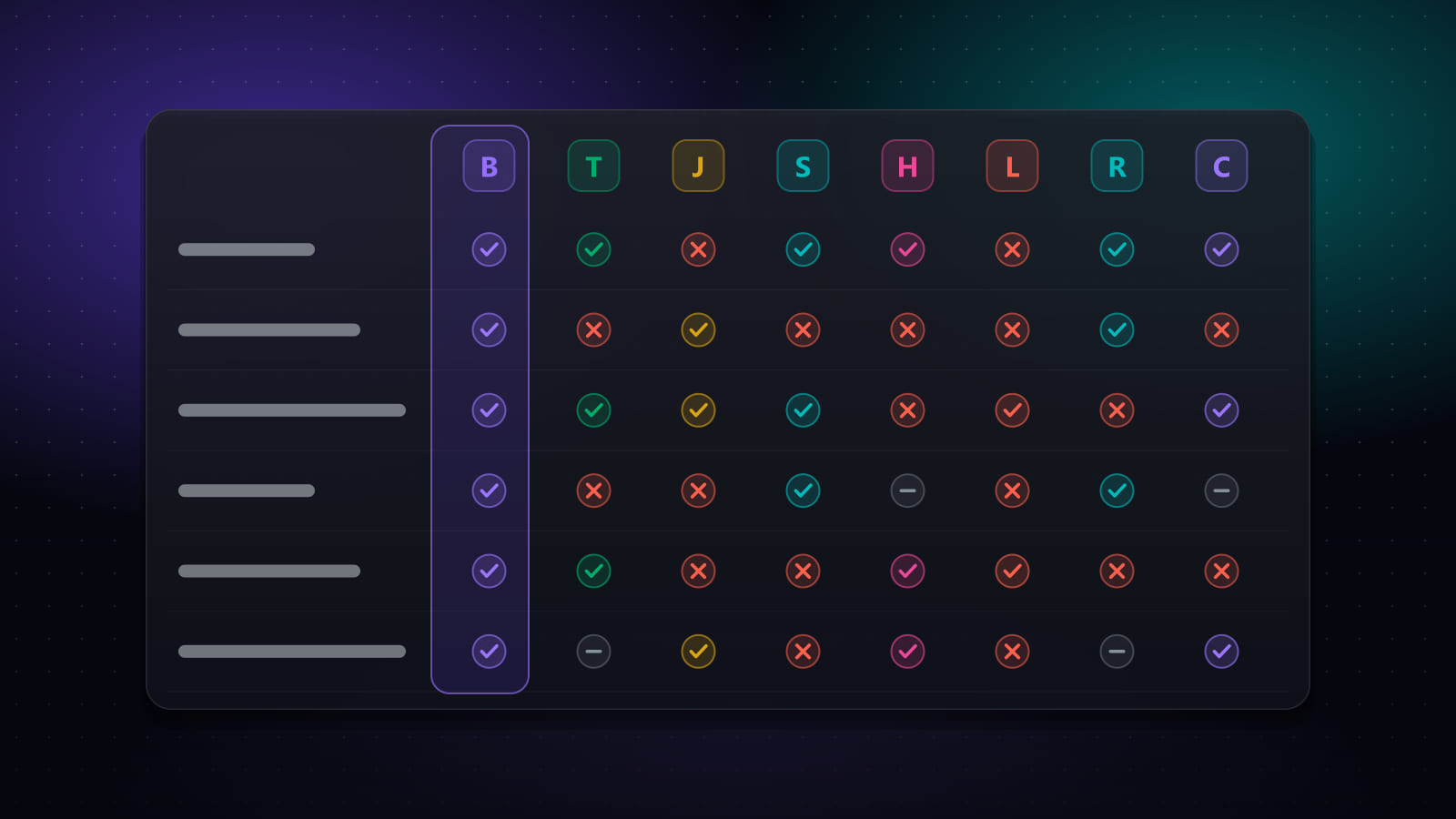
Job-search tools vary in how much of the process they cover. A writing assistant can help draft application text, but it may leave you to find openings, transfer information into forms, and keep track of follow-ups yourself. Automation can reduce repetitive entry, while job-discovery tools help surface opportunities. Connected application services bring several stages together. More features aren’t automatically better; the useful question is whether a tool handles your actual friction and gives you enough control to review its work.
Standalone AI writing tools versus job-search workflow tools
A standalone writing tool focuses on words. You might use it to shape a message, then switch to a job board to find roles and another tool to manage applications. Tools such as Jobscan focus on resume scans, while some browser extensions can autofill application forms. These examples serve different tasks, so compare what each actually covers rather than assuming one tool does it all.
Here’s the practical trade-off: separate tools let you choose support for each step, but you may need to transfer information and keep the process organized. Workflow tools connect more stages, which can reduce handoff work, but you still need to check role relevance and review what the system prepares or submits.
- Writing assistance: Useful for drafting or refining text. You review the wording and handle discovery and submission separately.
- Job discovery: Useful for finding roles that fit your search criteria. You decide which matches merit an application.
- Form automation: Useful for cutting down repeated data entry. Review populated fields for accuracy before submission.
- Application tracking: Useful for keeping opportunities and next steps organized. A tracker can help you monitor applications, but tracking alone doesn’t complete them.
- Connected services: Useful when several steps create friction. Review still matters, especially for tailored details and application information.
When an end-to-end job application service makes sense
Connecting role search, tailored documents, form completion, and outreach can help if your routine involves repeating administrative steps across applications. Best JobFinder supports those stages and interview preparation, offering an alternative to stitching together separate tools. It can identify openings matching your criteria, prepare tailored CVs and cover letters, complete application forms, and send personalized messages to hiring teams.
That broader coverage doesn’t remove your responsibility. Check that each opening fits your goals and confirm that application details reflect your experience. Review materials before they go out. The best ai job search tools save effort where you need it without turning your search into a stream of unchecked submissions. Choose based on task coverage and your ability to oversee the process, not the longest feature list.
How to choose an AI job search tool for your goals and routine
The right setup depends on your search, not on how many features a tool advertises. A focused process helps you avoid overlapping tools that add more tabs than relief. Use these steps to choose support that fits your application volume, the complexity of your target roles, and the time you can set aside to review its work.
- 1. Identify the friction. Name the step that drains the most attention: finding suitable roles, tailoring documents, completing forms, contacting hiring teams, or preparing for interviews.
- 2. Set your boundaries. Decide what you’re comfortable automating and what you want to approve yourself. For example, you might welcome help organizing role matches but want to review an application before it’s submitted.
- 3. Compare task coverage. Match the bottleneck to the tool category. Repeated data entry calls for application assistance; difficulty adapting your experience points to role-specific document support. Check whether the tool covers enough of the process to reduce handoffs.
- 4. Test the review process. Inspect a draft or completed form. Can you correct details, add missing context, and approve the final version before it goes out?
- 5. Reassess after using it. Notice whether the tool saves effort or creates new work through corrections, duplicate tracking, or extra setup. Keep what helps and remove overlap.
Build your shortlist around one high-friction task
Start small. A candidate who spends most of their time re-entering work history across forms needs application assistance more than another writing app. Someone applying selectively to complex roles may get more value from tailored CV and cover-letter support. Search volume matters too: a high-volume routine may benefit from broader workflow coverage, while a focused search may need only one specialized task. Choose the smallest useful setup first.
Test the workflow before relying on it
Check a sample output for accuracy, relevance, and missing context. Make sure you can correct information before submission, especially details about your qualifications, dates, and experience. Then consider whether the tool fits the time you have to review. Automation isn’t a time-saver if checking its work becomes another full task. Apply the same careful review to completed forms and the rest of your job-search workflow.
If repeated administrative work is your main bottleneck, explore Best JobFinder’s connected job-search support, which brings role discovery, tailored materials, application forms, outreach, and interview preparation into a broader process. The best ai job search tools for your routine should reduce friction without taking your choices out of your hands.
Put your AI job search tools to work without losing your voice
A useful job-search workflow should clear away repetitive administration, not make decisions for you. Start with the roles you want, use tools to organize the steps, and stay in charge of what represents you. Each application should reflect your real experience and genuine interest in the opportunity.
A candidate-led workflow from role discovery to interview preparation
Move through the process in deliberate stages. Set your target roles and preferences, then review suggested openings yourself. For roles worth pursuing, use tailored documents to connect your experience with the requirements. Check application details, and decide whether personalized outreach makes sense. If an employer responds, use interview preparation to organize relevant examples and practise expressing them in your own words.
At every stage, keep the final call. Confirm that a role fits, correct inaccurate or incomplete details, and make sure your application sounds like you. AI can help prepare and organize; it can’t supply your intent or take responsibility for the claims you submit. For practical next steps, explore guides on writing hiring-team outreach and preparing for interviews.
Choose your next step and simplify the search
If separate tools and repeated form entry are draining your time, a connected service can bring more of the process into one workflow. Best JobFinder supports job discovery, tailored CVs and cover letters, application form completion, hiring-team outreach, and interview preparation. You remain responsible for reviewing materials and decisions. The service can reduce repetitive work, but it can’t promise an interview, an offer, or a hiring outcome.
Keep the goal clear: spend less effort on routine tasks and more attention on opportunities that fit. Start with the parts of your search that consume the most energy, and use support without handing over your judgment.
Explore job-search and application support to simplify repetitive steps while keeping your experience and choices at the center.
Build a job-search workflow that gives you time back
The best ai job search tools don’t just generate more applications. They help remove repetitive tasks that slow you down, while keeping your choices, accuracy, and voice in your hands. Compare tools by the work they cover, how well they fit your target roles, and whether you can review and correct what they produce.
A manageable workflow might connect role matching with tailored CVs and cover letters, application form completion, hiring-team outreach, and interview preparation. Use support where it reduces friction, then check that each application reflects your real experience and genuine interest. No tool can promise an interview or a job offer, but a clearer process can help you focus your effort on relevant opportunities.
Best JobFinder brings these job-search and application tasks together, so you can spend less time repeating information across disconnected steps. Explore Best JobFinder’s job-search and application support and choose the assistance that fits your routine. Your search can be more manageable without handing over your judgment.
Frequently asked questions
What are the best AI job search tools?
The best ai job search tools address the task slowing your search. Some help find relevant openings, while others draft tailored materials, complete application forms, support outreach, or help you practise for interviews. Compare what each tool covers, whether you can edit and approve its work, how it handles your information, and whether it fits your routine. Best JobFinder connects several job-search and application tasks. No tool can guarantee an interview or offer.
Are AI job search tools worth using?
They can be worthwhile if they reduce repetitive work without weakening your applications. Start with one recurring bottleneck, such as re-entering information on forms or adapting documents for each role. Then account for setup, corrections, and review when deciding whether the tool saves effort. If managing the tool or paying for overlapping features adds more work than it removes, a simpler process may suit you better. Keep the parts of your search where your judgment matters in your hands.
Can AI apply for jobs for me?
Some services can complete and submit application forms, but you’re still responsible for oversight. Review the role before applying, check each answer, and confirm that the information accurately represents your experience and preferences. Pay close attention to role-specific questions, which may need a personal response rather than a reused answer. Before relying on automated submissions, understand when you can review and correct the application. Automation can handle repetitive steps, but it shouldn’t make your career decisions for you.
How do AI tools tailor a resume to a job description?
An AI tool can compare a job description with information about your experience and suggest which relevant skills or achievements to emphasize. Treat its suggestions as a draft, not as permission to add qualifications you don’t have. Check every detail, including dates, responsibilities, and results. Then revise the wording so the final document reflects your real experience and sounds like you. Effective tailoring makes relevant evidence easier to see; it doesn’t distort your background to mirror a job description.
Do AI job search tools guarantee interviews or a job?
No. AI tools can help organize a search, prepare application materials, or reduce repeated form work, but employers make hiring decisions. Outcomes depend on factors such as the role’s requirements and how your qualifications fit. Be cautious of claims that a tool will secure an interview or job. Use software to support your process, not as a promise of results. You should remain in control of which roles you pursue and what information you submit.
How much time can AI job search tools save?
There isn’t one reliable time-saving figure that applies to every job seeker. The difference depends on how often you repeat tasks, whether the tool fits your process, and how much review each application needs. Compare the full effort before and after using it, including setup and corrections. For example, a form assistant may reduce repetitive typing, but errors that require rework can offset that gain. Judge results by your own routine, not generic savings claims.
Ready to automate your job search?
Best JobFinder combines job discovery, AI skill matching, resume tailoring, and configurable auto-submit in one platform — with a 7-day free trial.
Try Best JobFinder free →